Different start dates
The first day of the month does not always match the day someone is ready to begin.

SMART MEMBERSHIP BILLING
Manage sign-ups, renewals, plan changes, prorated billing, and reactivations without spreadsheets or manual calculations.
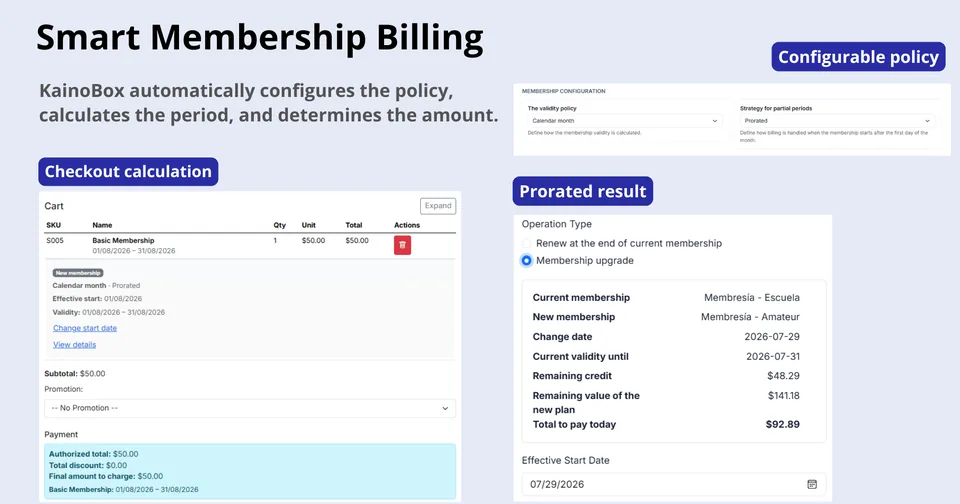
The first day of the month does not always match the day someone is ready to begin.
Taking the next payment before expiry should not erase days the member has already covered.
An upgrade or a return after a pause needs to preserve the right context.
When the team calculates by hand, one wrong date or amount can undermine trust.
Members can start on any day and receive a period that matches their actual start date.
They pay only the difference that applies to the time they still have available.
The new period respects time already covered and keeps the next cycle clear.
Choose the billing logic that matches your operation and make it clear to your team.
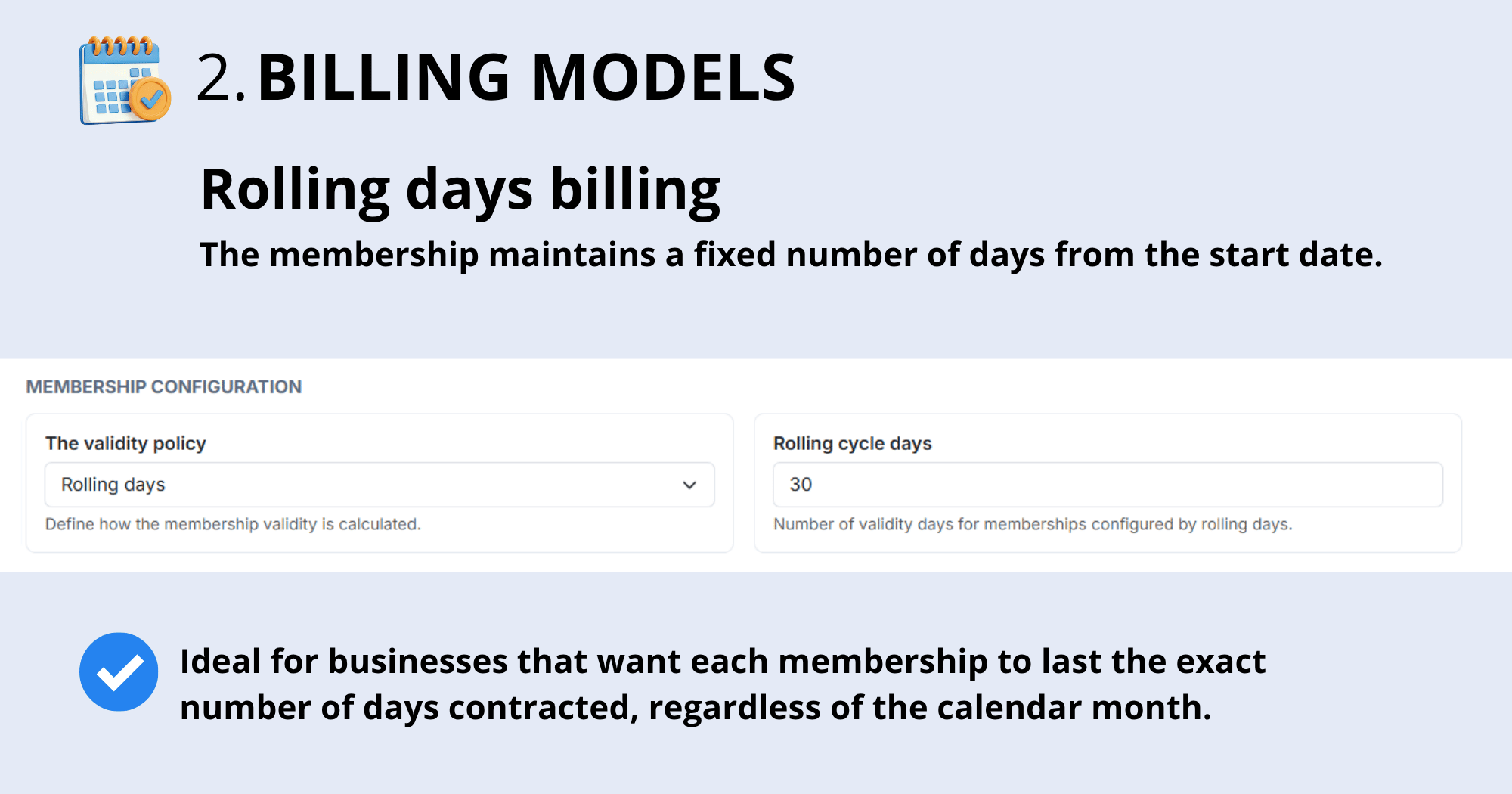
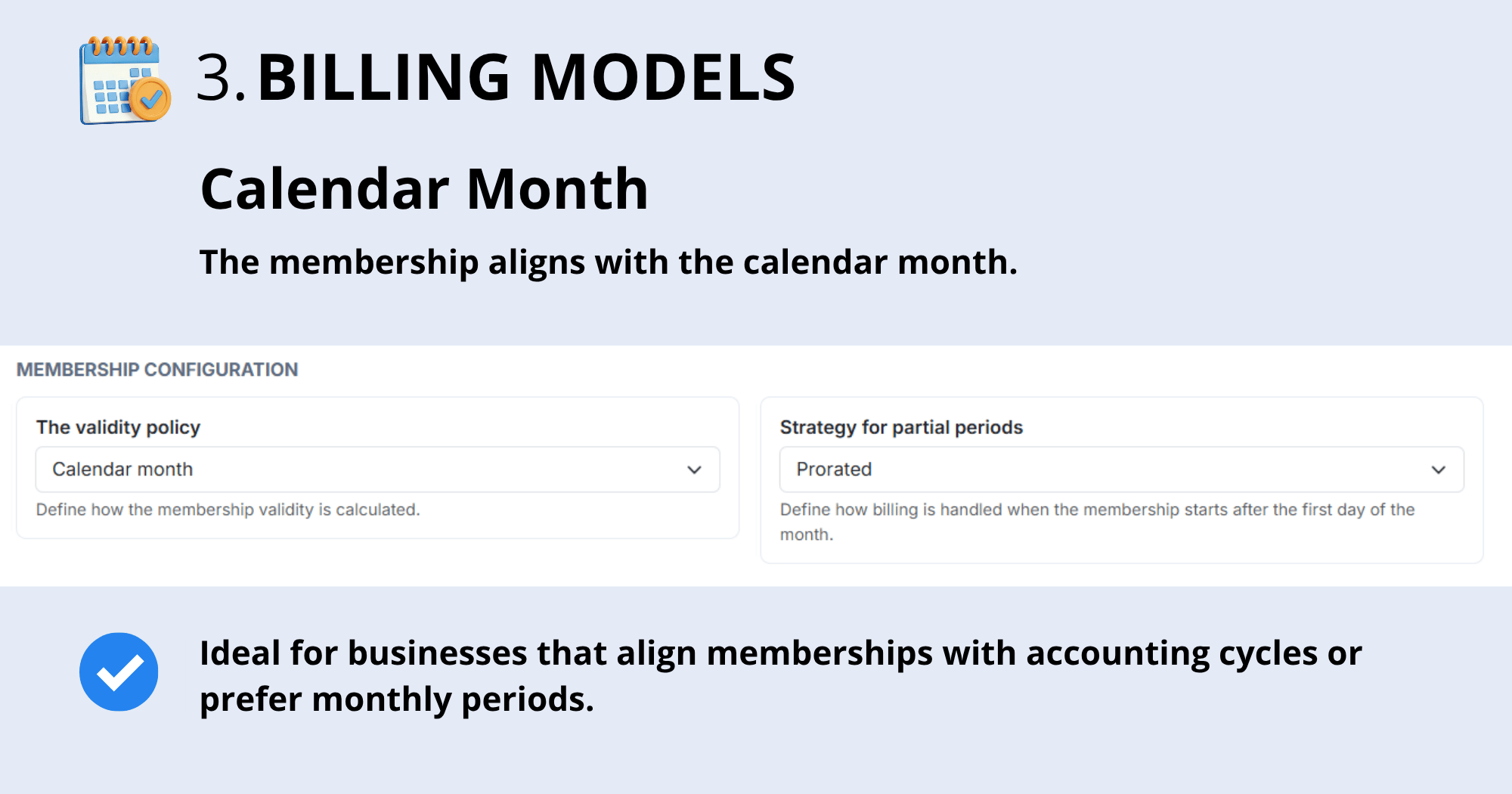
Partial periods: decide whether the first period is prorated, charged in full, or extended as a courtesy. Your rules are clear from day one.
CONFIGURE ONCE
Define the billing policy, what happens during partial periods, and how each membership should behave. Your team makes consistent decisions without reinterpreting the same rules.
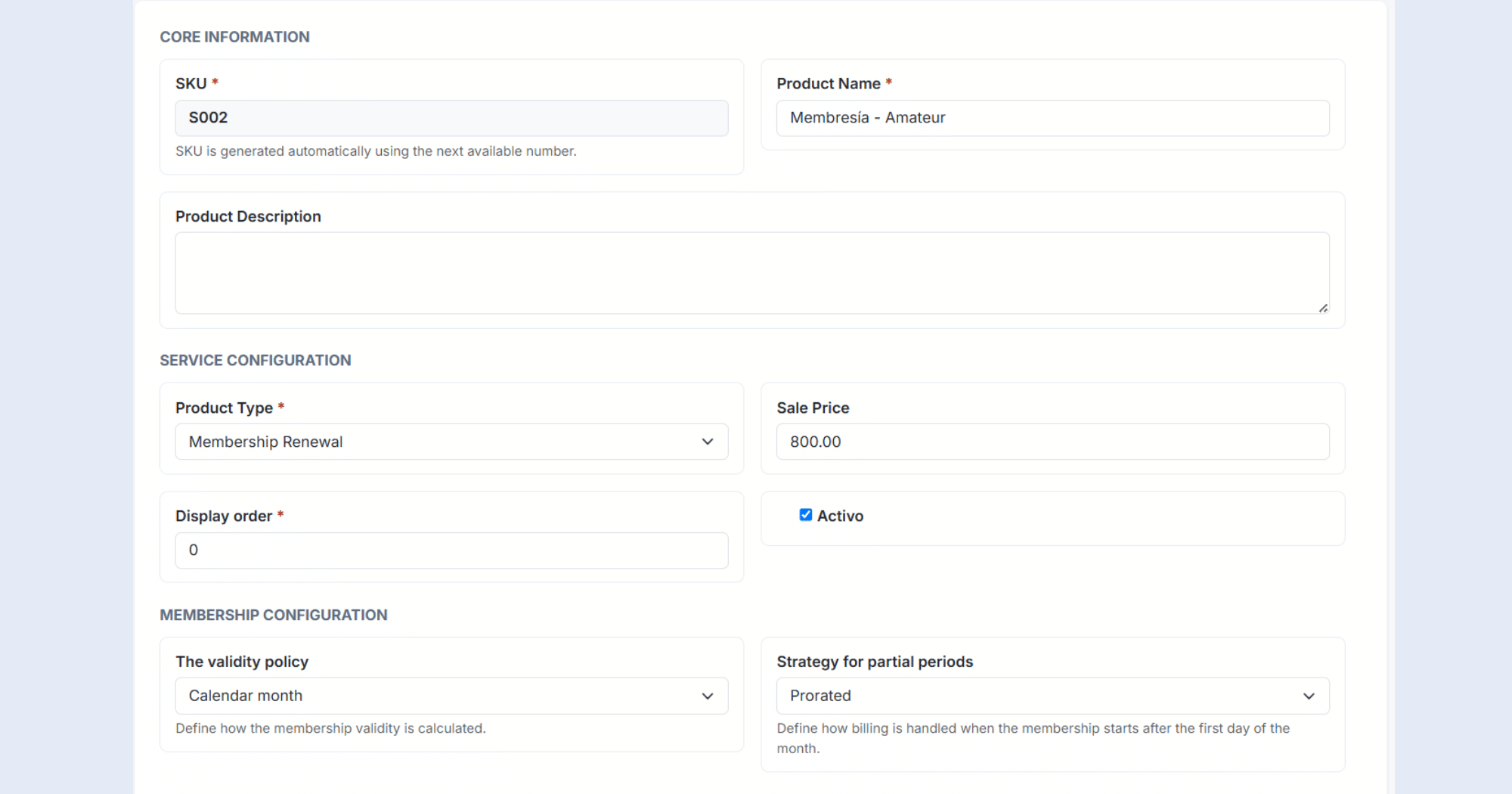
SMART CALCULATIONS
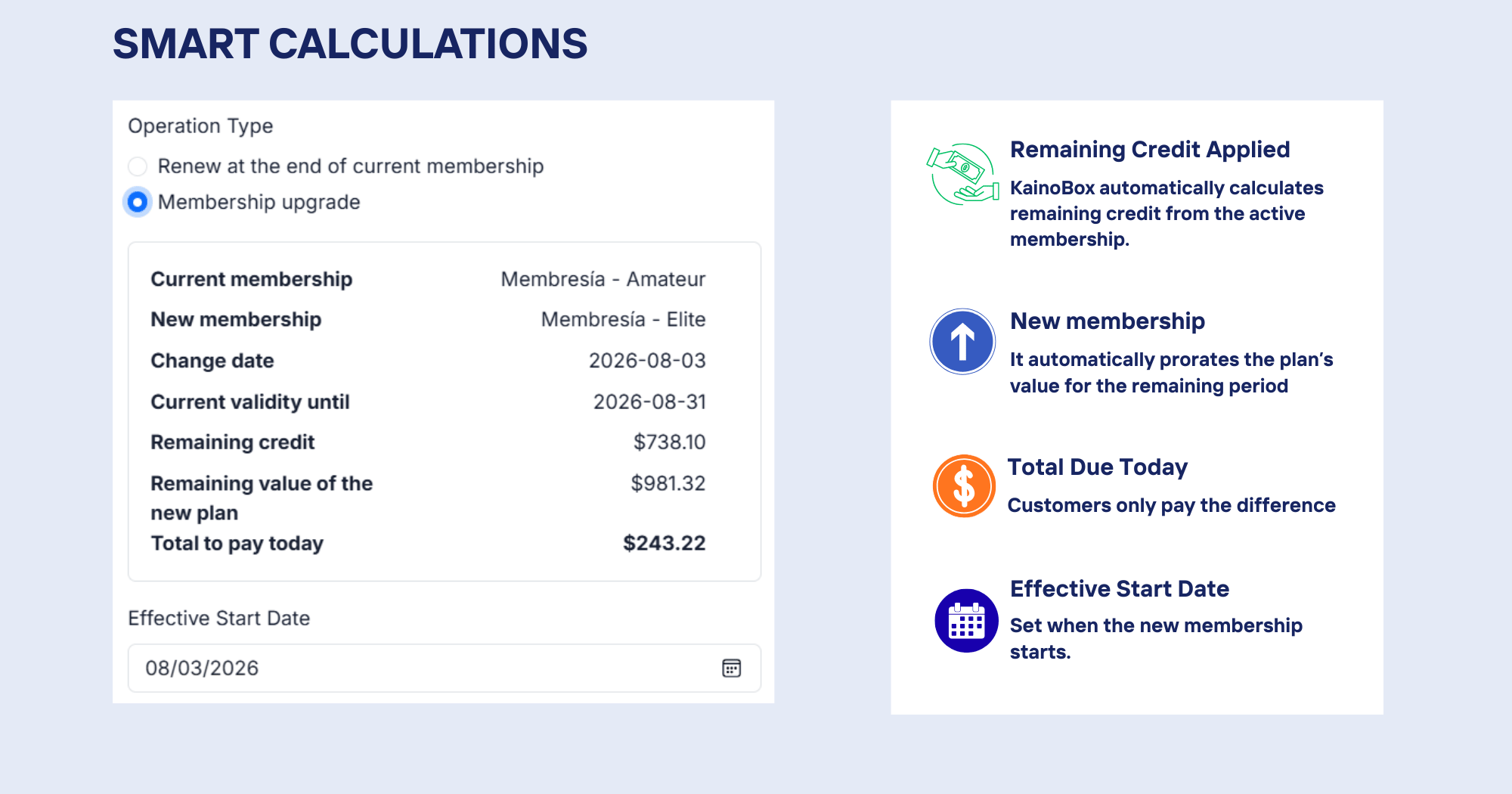
KainoBox considers remaining credit, the new plan, the effective date, and what should be paid today. Members see a clear proposal and your team can charge with confidence.
PRODUCT IN ACTION
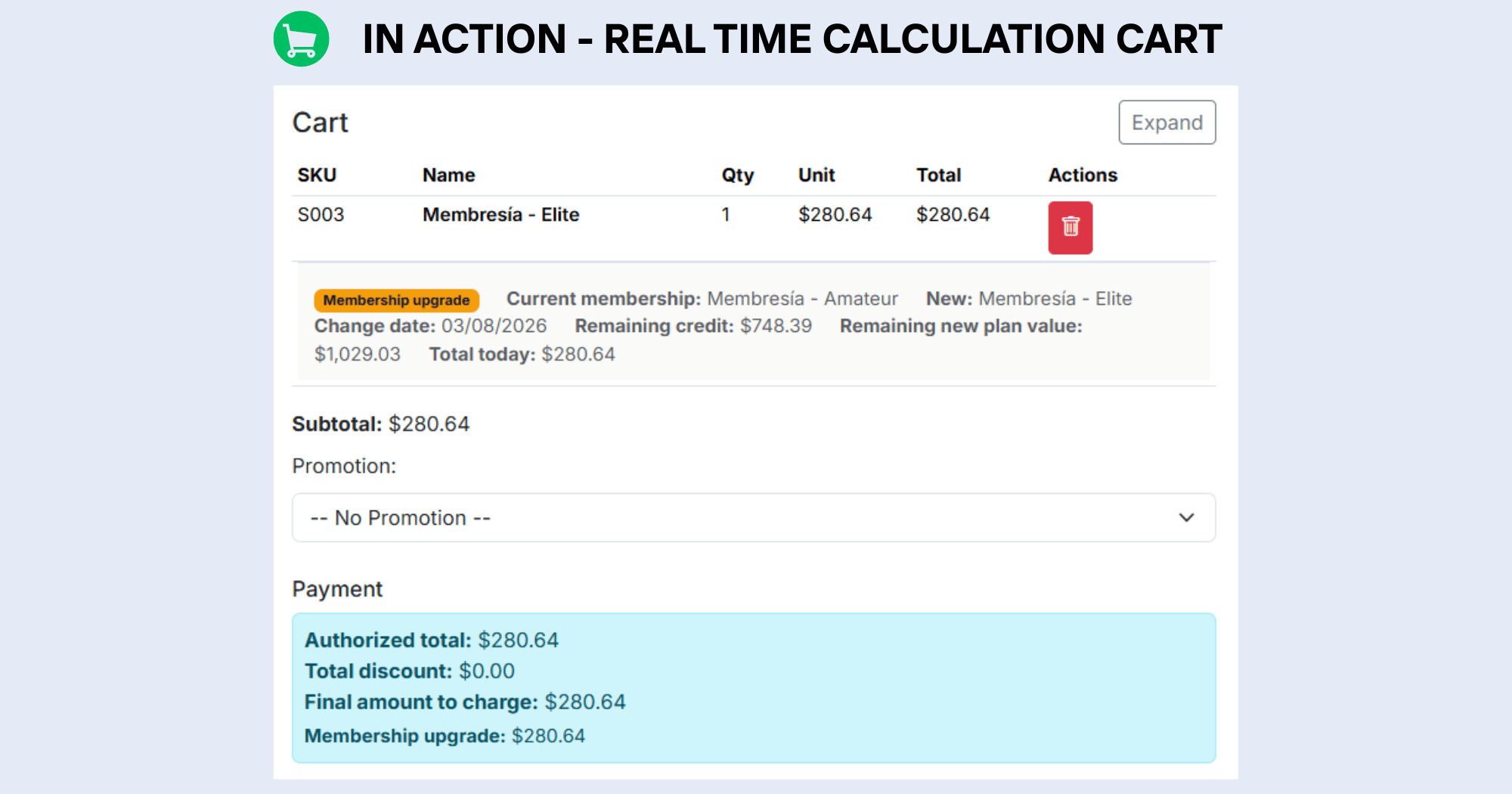
Review remaining credit, the new membership value, and the total due in the cart. The calculation stays consistent through checkout.
MEMBERSHIP HISTORY
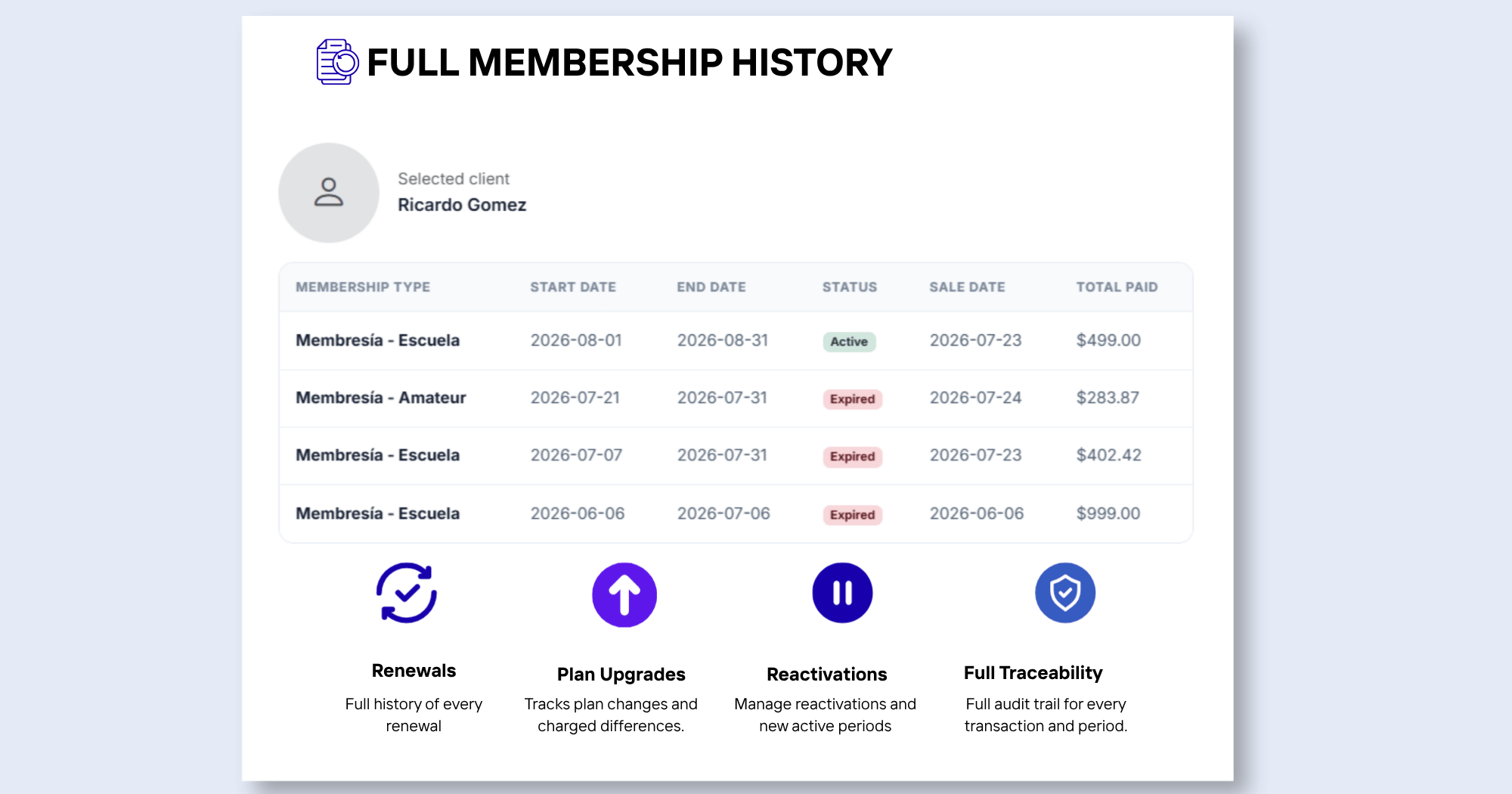
Review renewals, upgrades, and reactivations with the context of each movement. When someone needs to know what happened, the answer is in the history—not in someone's memory.
Dates and amounts are calculated consistently.
Your team stops rebuilding periods in spreadsheets.
Everyone applies the same policy for periods and partial billing.
Members understand what they pay and what period they receive.
Every renewal, upgrade, or reactivation keeps its context.
Your operation grows without multiplying calculations and exceptions.
FREQUENTLY ASKED QUESTIONS
Learn how KainoBox handles dates, renewals, plan changes, and billing calculations before you charge.
Yes. KainoBox calculates the membership period and amount from the effective start date.
Yes. The cart shows credit, the new value, and the total before you confirm the charge.
Yes. Renewals, upgrades, and reactivations remain available in membership history.
Start operating with more control, clarity, and accuracy from your very first member.