Personal phones
Customer care stays tied to individual devices and is hard to share with the team.
WHATSAPP FOR YOUR OPERATION
Connect WhatsApp Business with KainoBox to organize conversations, reminders, media, and follow-up without losing the context of your operation.
THE PROBLEM
Customer care stays tied to individual devices and is hard to share with the team.
A prospect can go unanswered when no visible next step exists.
Your team repeats the same membership, payment, and operational messages one by one.
Conversations, memberships, payments, and attendance lose context when they live apart.
The operation should not stop when the main contact is unavailable.
Staff changes should not erase each member's context.
CONNECTED OPERATION
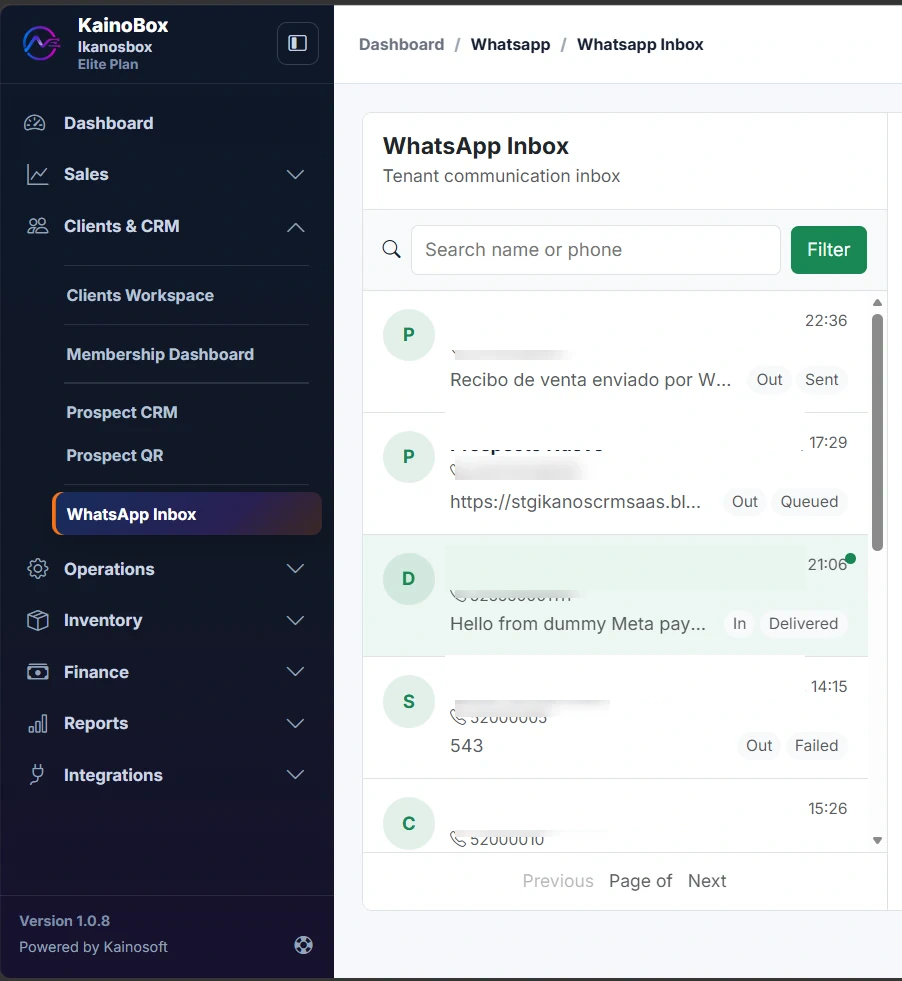
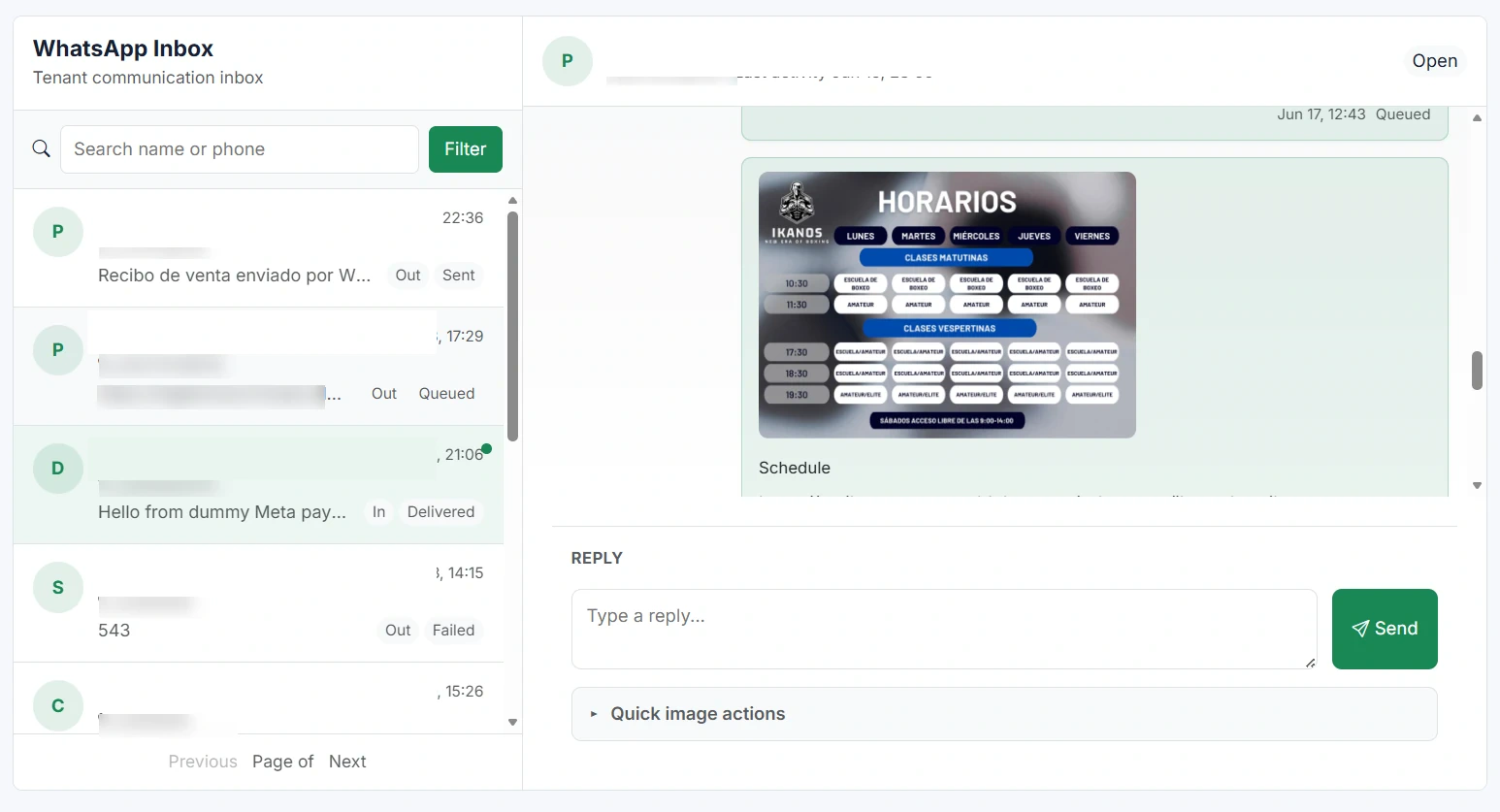
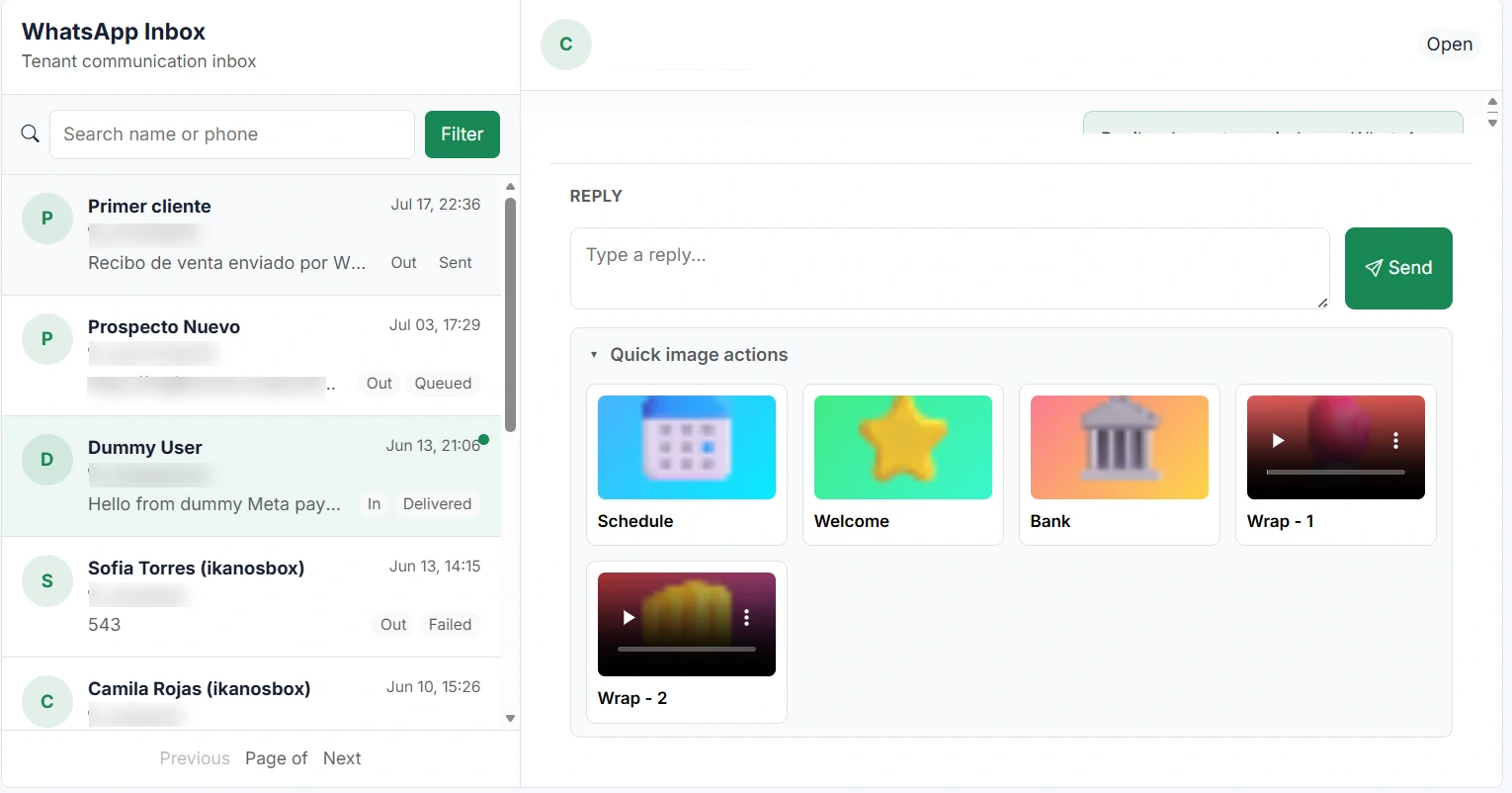
Work from a shared inbox, find customer information, and use prepared actions without switching between tools.
Authorized team members can handle conversations from one operational view.
Keep conversations close to the memberships, sales, and payment information your team needs.
Send welcome messages, payment reminders, renewal reminders, receipts, images, videos, and QR codes from the right context.
PRODUCT IN ACTION
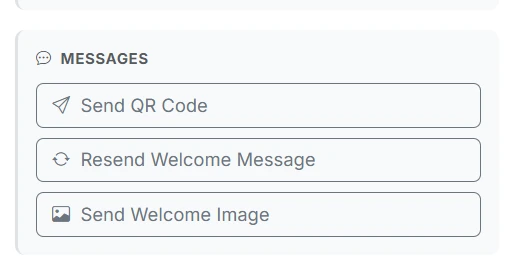
PREPARED OPERATIONAL MESSAGES
Send welcome messages, prospect information, QR codes, and other resources.
Send payment reminders, renewal reminders, and payment links from the relevant record.
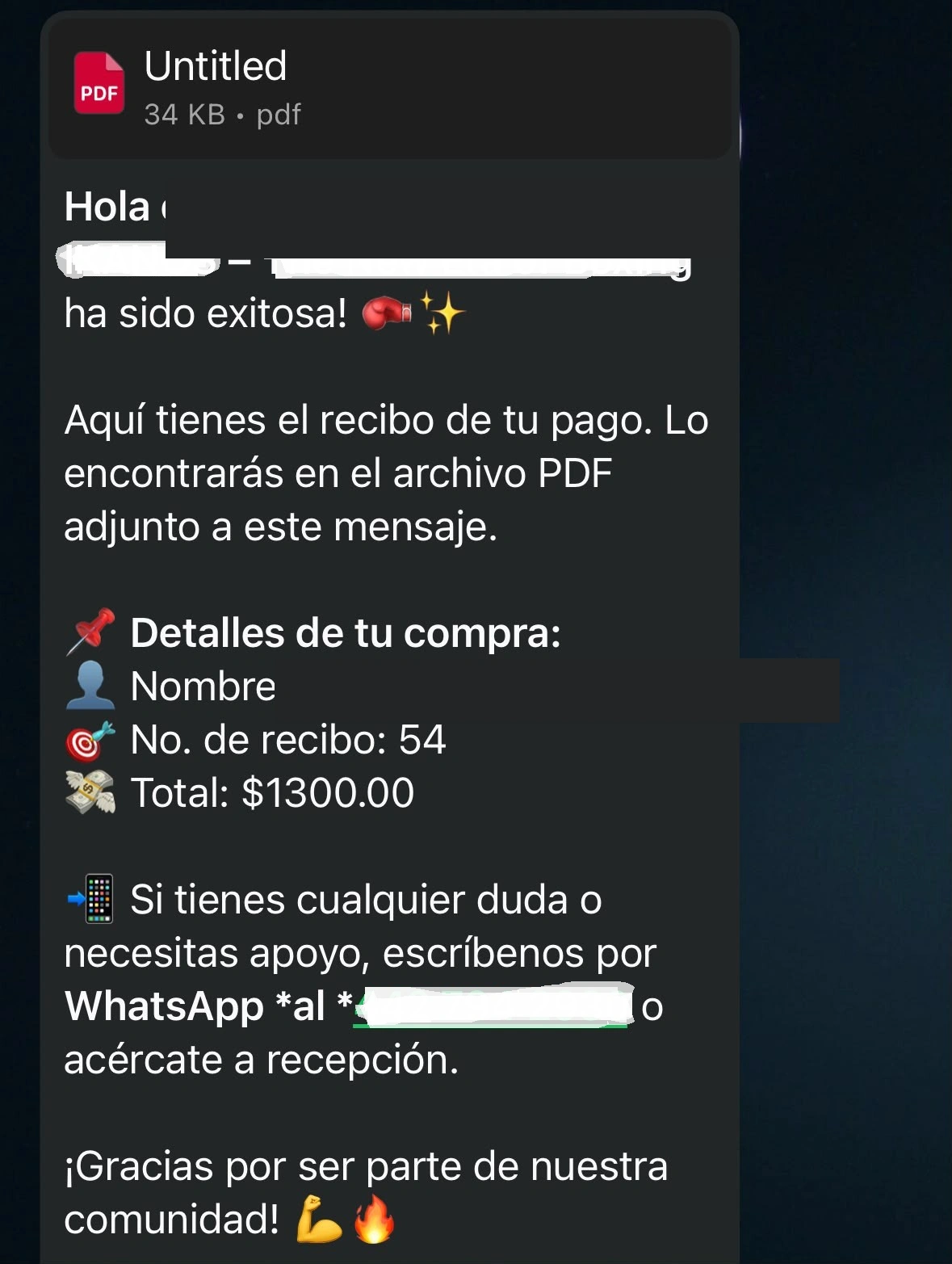
Generate a receipt from the sale and send it immediately as proof of the transaction.
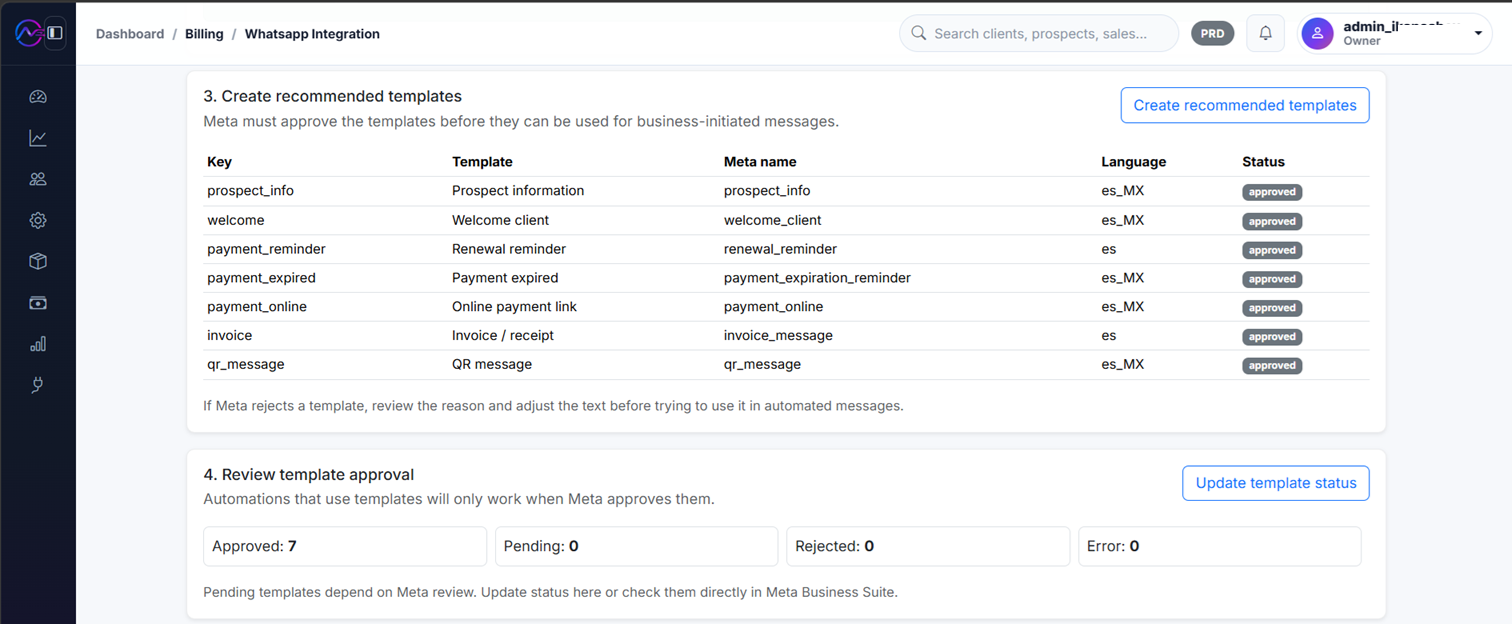
Some business-initiated messages require templates approved by Meta. Approval and applicable rules are controlled by Meta.
Several authorized people can respond from one place.
Conversation context does not depend on one person's phone.
Find contacts and operational resources without switching apps.
Connect communication to the information available in KainoBox.
Follow dates and payments with better visibility.
Review available sent and received message states.
REQUIREMENTS AND COSTS
Connection depends on the business account, phone number, and requirements Meta validates during onboarding.
You need an active account with the WhatsApp add-on enabled.
Complete the connection, verification, and permission steps Meta requests.
Use a number eligible for WhatsApp Business Platform under the selected connection method.
Configure approved templates and a Meta payment method when required.
Free for months, then per month. Meta may charge its own conversation or messaging fees separately.
KainoBox does not control Meta pricing, approval, verification, policies, delivery, or account restrictions.
FREQUENTLY ASKED QUESTIONS
Understand the requirements, scope, and responsibilities of the integration before activating it.
Possibly, depending on Meta eligibility, the number's status, and the connection method. Not every number works in every scenario.
Start your trial, connect your Meta business account, and manage conversations, reminders, and follow-up from KainoBox.